Summary
In order for the Check Point MDR team to monitor your NDR data we will require integration with your Check Point Portal.
Note: Prior to completing these steps your NDR service should be enabled, and configured.
If you require assistance in completing the configuration of your NDR service please contact your sales engineer.
If you need any assistance with this procedure, please open a ticket in the MDR Customer portal under "MDR Support" or if you are currently onboarding reply to your welcome email, and we will schedule a time to assist.
Note: We will need these two items filled in on the MDR customer portal profile page when adding the integration also ensure the procedure outlined below is completed before adding:
- NDR Customer Domain (the name that shows up on your portal when logged in)
- Client URL (you can enter the following)
https://portal.now.checkpoint.com/
Procedure
- Log in to your Check Point Portal
- Select the NDR Product
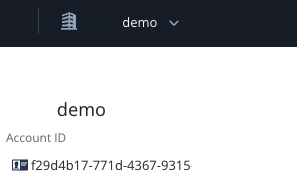
- If you have more than one tenant, ensure the correct tenant ID is selected
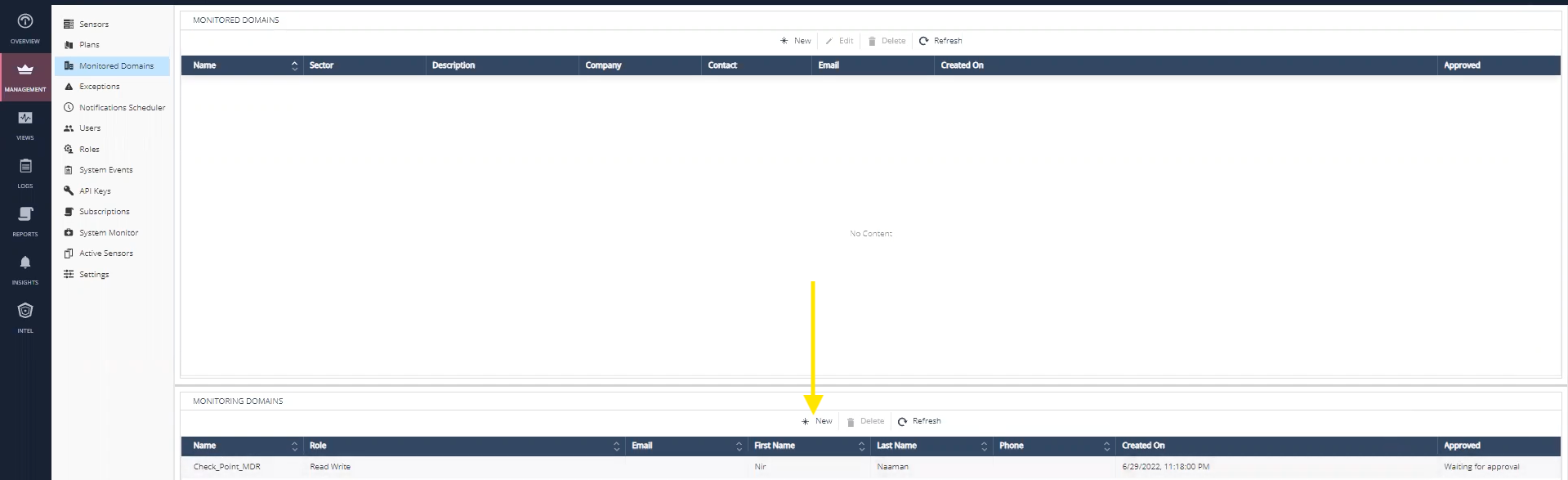
- Select Management -> Monitored Domains
- Under Monitoring Domains at the bottom, select New
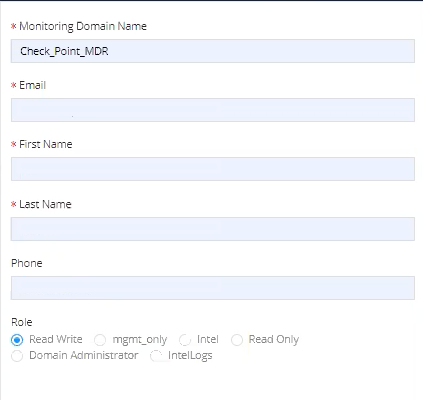
- For Monitoring Domain Name, enter Check_Point_MDR *NOTE: This is Case Sensitive*
- Enter the rest of the information with your contact information
Set the Role to Read, Write